 ASCII
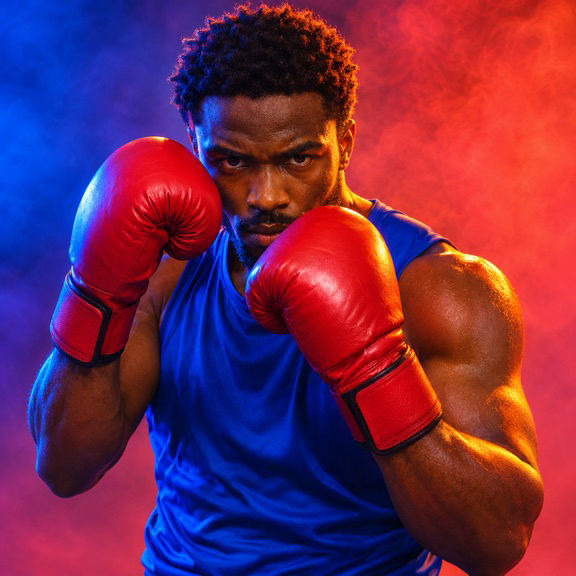
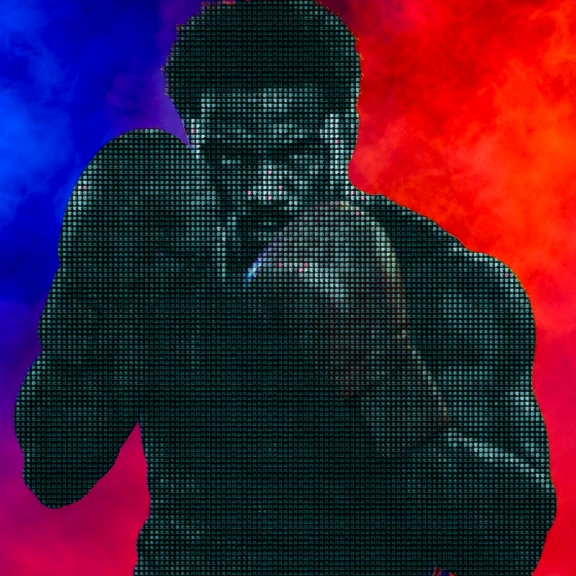
What the effect does

Fine glyphs shape the shading.

Dense glyphs follow the folds.

Red shows through the glyph pattern.
Make it on iPhone
-
Import
Open your media in ASCII Lab.
-
Tune
Select the effect and check the preview.
-
Export
Choose a format and save your result.
Where to use it


Make the figure easy to find
The boxer’s shoulders make a broad outline. The gloves sit near the face, but the red and blue background gives the body a clear edge. In the processed version, the interior of that figure carries a fine text pattern. A glove still has enough of its original tone to show the stance. The colored field outside the fighter gives the picture somewhere to rest, so the viewer can distinguish the silhouette from the character detail.
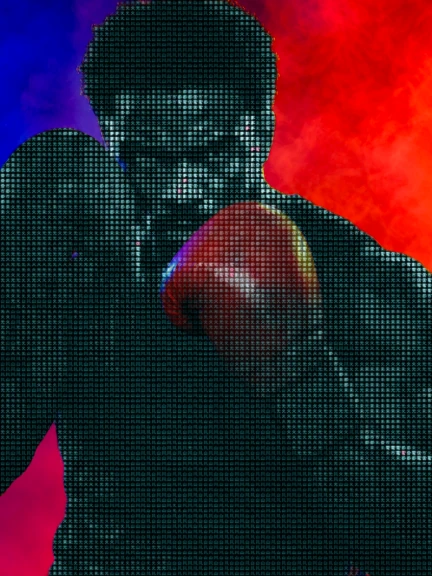
Start with a single person who occupies a meaningful portion of the frame. A pose with a clean space between the elbow and the waist can help separate the figure from the wall. If a hand disappears behind another person, try a different moment with fewer overlaps. Think about the space between the body and the edges of the picture as well. If a person is already cut off at the shoulder, the effect can emphasize that abrupt edge.
Refine density around a part that matters
In the app, open Subjects and preview Neon Kanji. Compare the midpoint of a gesture with the start. Pay attention to the head, fingers and any fast moving edge of the clothing. In a still, inspect the boundary where a dark sleeve meets the backdrop. Adjust density to place the texture at a scale that fits the person in the crop. Step back from the screen or view a small preview. You should still be able to recognize the pose.
In the app, open Subjects and preview Neon Kanji.
Tune brightness if a face is sinking into the pattern. Adjust contrast when the light and dark areas of a shirt mix together. If you add glow, try it after the figure is legible and hold the rest of the settings steady while you decide. If the face and the background have a similar value, a tighter crop or another source shot can help. Lighting and the angle of the face often make a larger difference than a precise setting on a single control.
Plan the type around the performer
For a workout Reel, choose one simple gesture, such as a boxer moving from a relaxed stance to raised gloves. Keep space around both gloves and cut after the move finishes. The character texture can mark that moment without adding a second animated title.
For a portrait cover, shoot the person with colored light behind them and room for text on one side. The subject texture increases the amount of visible detail inside the figure, so a plain block of surrounding color makes a practical location for a headline. Test the color and size of the headline at the final crop.
In a music clip, show a performer turning out of a dark doorway or rotating under a steady light. Watch the treated boundary as the person moves. An arm swung very close to the lens can occupy most of the frame and briefly obscure the rest of the pose. Trim the section so the texture shows up while the figure is still clear. Use a short export to check the effect at playback speed before rendering a second take.
Questions
Can I use the character texture as a caption?
The effect supplies the pattern on the subject. For a name, lyric or other readable caption, add a separate text layer in the editor.
Which plans cover Neon Kanji?
Eligible legacy Free installations can export Neon Kanji photos up to 1080 px. New installs require active Pro or an eligible active trial after onboarding. Pro enables all MP4 export and PNG up to 2400 px.


