 ASCII
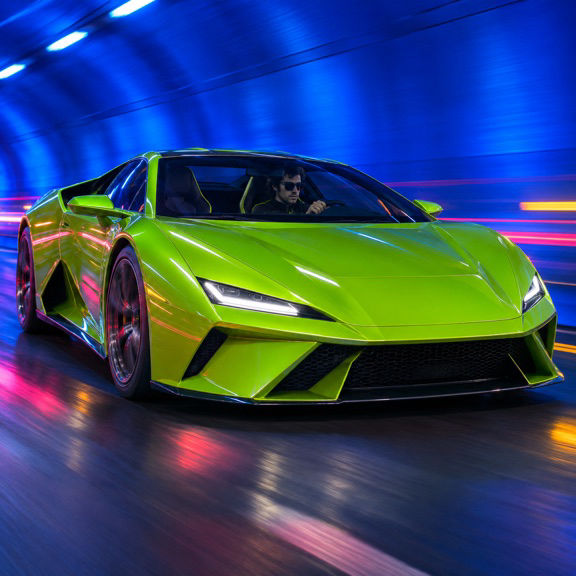
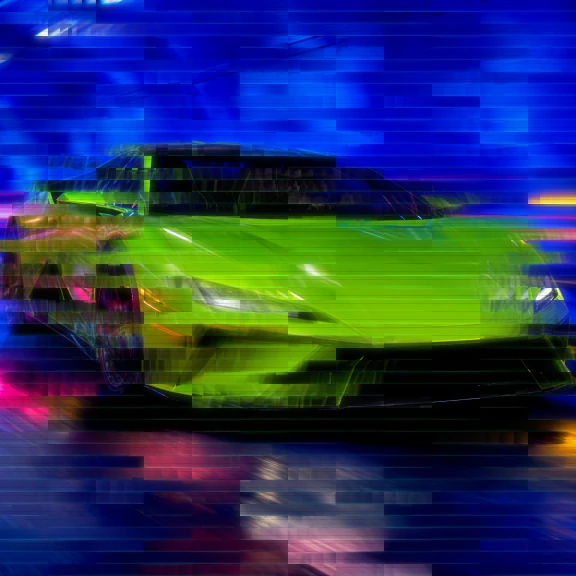
What the effect does

Blue tones smear into blocks.

Glitch blocks break up the outline.

Color trails spread across the road.
Make it on iPhone
-
Import
Open your media in ASCII Lab.
-
Tune
Select the effect and check the preview.
-
Export
Choose a format and save your result.
Where to use it


Use movement the eye can follow
Look at the hood of the sports car in the two frames. Its lime shape gives the eye a clear area to track, even where the lamp and road smear across the image. The blue light stays in a separate band above it. This kind of separation gives the distortion a direction. If the car, road and buildings are all roughly the same tone, the changes in the picture can be much harder to see.
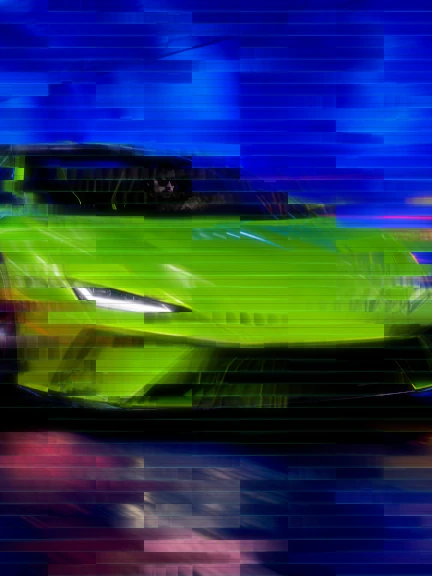
For your own test, try a subject that travels across the frame, such as a bike passing left to right, or a camera move past a building with several bright windows. A clear beginning and end make a short test easier to judge. If the subject is almost still, the glitch becomes more like a surface texture. In a whip pan the entire frame can break at once. A slower move often gives more room to see where the color came from and where it ended up.
Tune the shot before you tune the glitch
Trim to a passage with a little motion before the big gesture. Play it twice and watch a fixed reference such as a lane stripe or a window edge. Start with moderate contrast so the dark areas keep some detail. If highlights along the subject disappear into the brighter streaks, lower brightness and compare the same segment from the same point in the editor.
Trim to a passage with a little motion before the big gesture.
Test density with the intended crop already in place. A narrow frame shows fewer lateral streaks, so give the subject room on the side it moves toward. A landscape extract can leave a long trail behind a moving car. In portrait footage, a closer framing can work if you retain something recognizable, like the wheel or the bright headlamp. If the shot must match a following cut, review both endpoints before choosing the trim.
Cut a glitch sequence with a visible point of reference
For a short TikTok edit, open with one clean view of the vehicle or dancer. Use the first strong movement as the point where the effected shot takes over. Let viewers see the shape before it breaks into blocks. Position titles on the stable part of the frame so the reading rhythm stays separate from the shifting image.
For a clip set to music, find a beat where the motion changes direction, then make a short export around it. Preserve original audio if the production sound matters. If the track will be rebuilt later, render the image and place it in your timeline against the original sound. Review one short passage before committing to a longer piece.
If you plan to put the cut beside footage from another camera, match its framing first. The contrast between two camera angles can look like motion that belonged to the effect. Holding the comparison on the same crop makes it possible to judge the streaks themselves.
A cover derived from a moving shot can work if some of the subject stays sharp enough. Pick a moment where the streaks are visible but the headlamp, shoulder or handlebar is still obvious. A quick look at the reduced cover tells you whether the viewer can identify it at a glance. Use the clearest frame even if the heaviest distortion lands a few frames later.
Questions
Do I need to damage or re-encode the original file?
Import the original and work from the preview in the app. Datamosh Flow renders a visual treatment into a new export and preserves the source.
What does video export require?
Datamosh Flow and MP4 export are both Pro. New installations need active Pro or an eligible active trial after onboarding. Export up to 30 seconds per selection, with 15, 24 or 30 fps available.


